ProductsGA MX HelperGA Wire HelperGA Build HelperNEWAll pricing & bundles
One-time purchase. No subscription · no monthly fees · no renewals — buy it once, it’s yours.
CURRENT GA WIRE HELPER VERSION: 1.4.0

Everything GA Wire Helper does

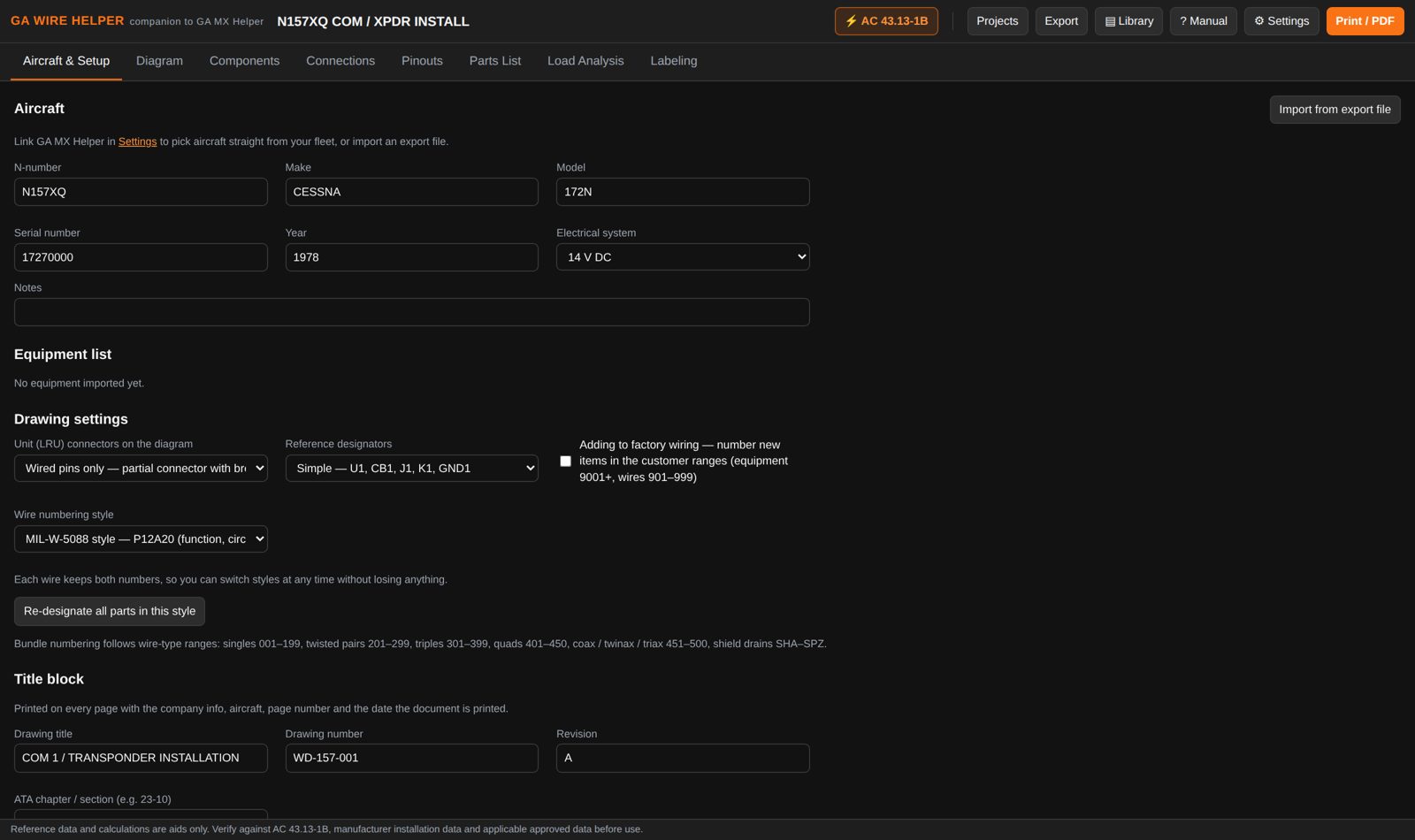
Draw the schematic; the app keeps the wire list, pinouts, parts list, load analysis and labels in step with it.

Screenshots show a made-up sample installation on a fictional aircraft — not real approved data, and not a real manufacturer's pinout.

New in 1.3.1

The continuity sheet that goes with the harness

The app already knows every wire, both ends, both pins and the gauge. Now it prints the ring-out sheet to go with them — every wire in order, with columns for the measured continuity and isolation readings, a tick box and initials, and a header for the meter make, model, serial and calibration due date.

  • Nothing arrives ticked. The app knows what should be connected; it knows nothing about what your meter read. The sheet keeps those two things visibly apart.
  • No pass/fail limit is printed. Acceptance limits come from the maintenance manual or the approved data for the installation — the sheet records what was measured, it doesn’t decide what’s acceptable.
  • Prepared-by and inspected-by signature blocks, in the same style as the rest of the document set.

Prints on its own, or as part of the complete package with the diagram, parts list and marking checklist.
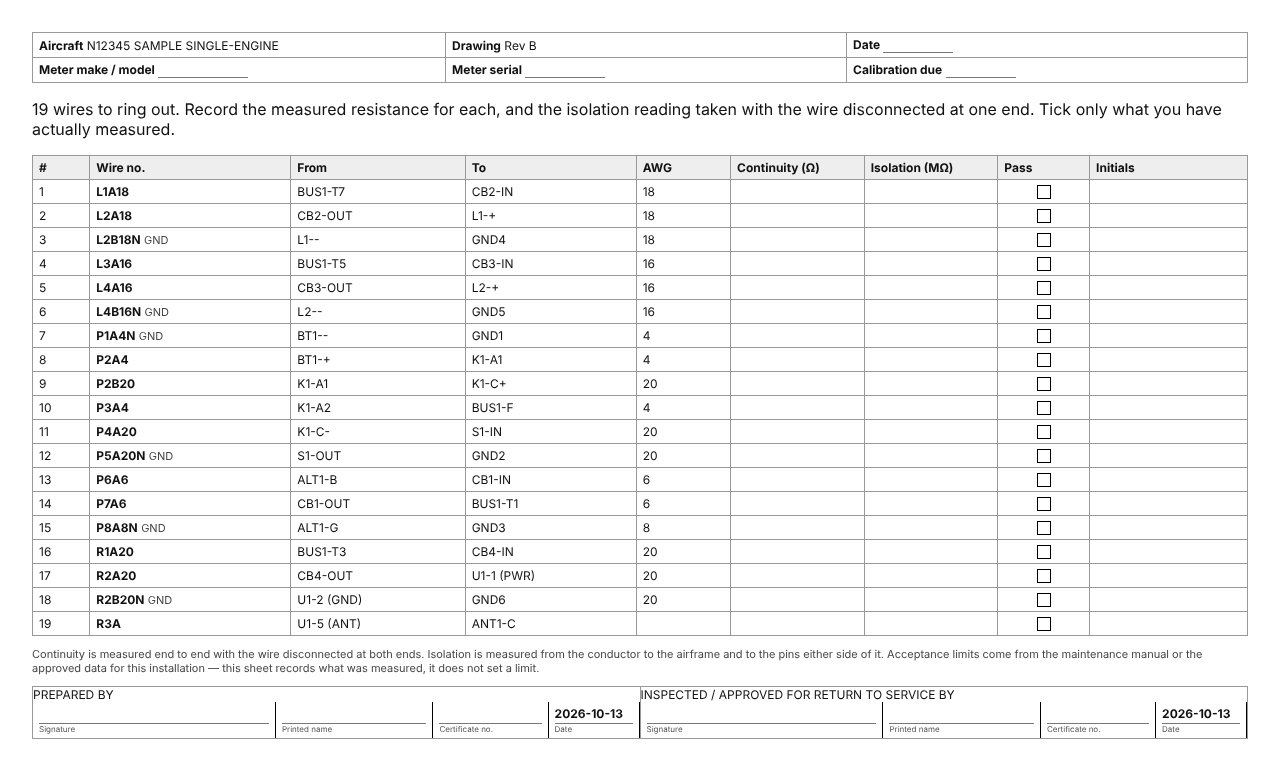
Continuity test record

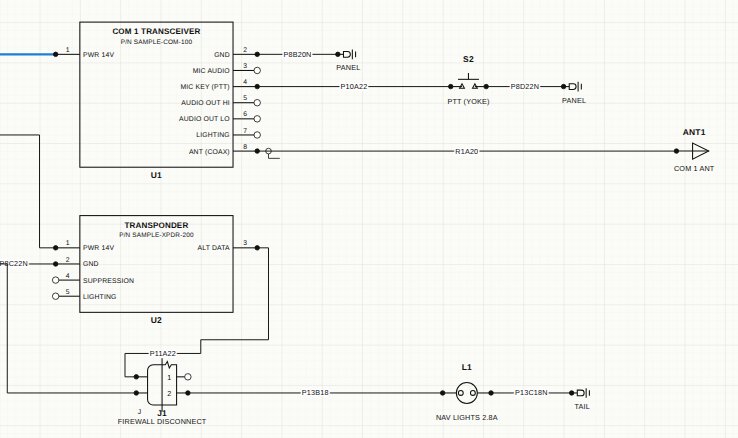
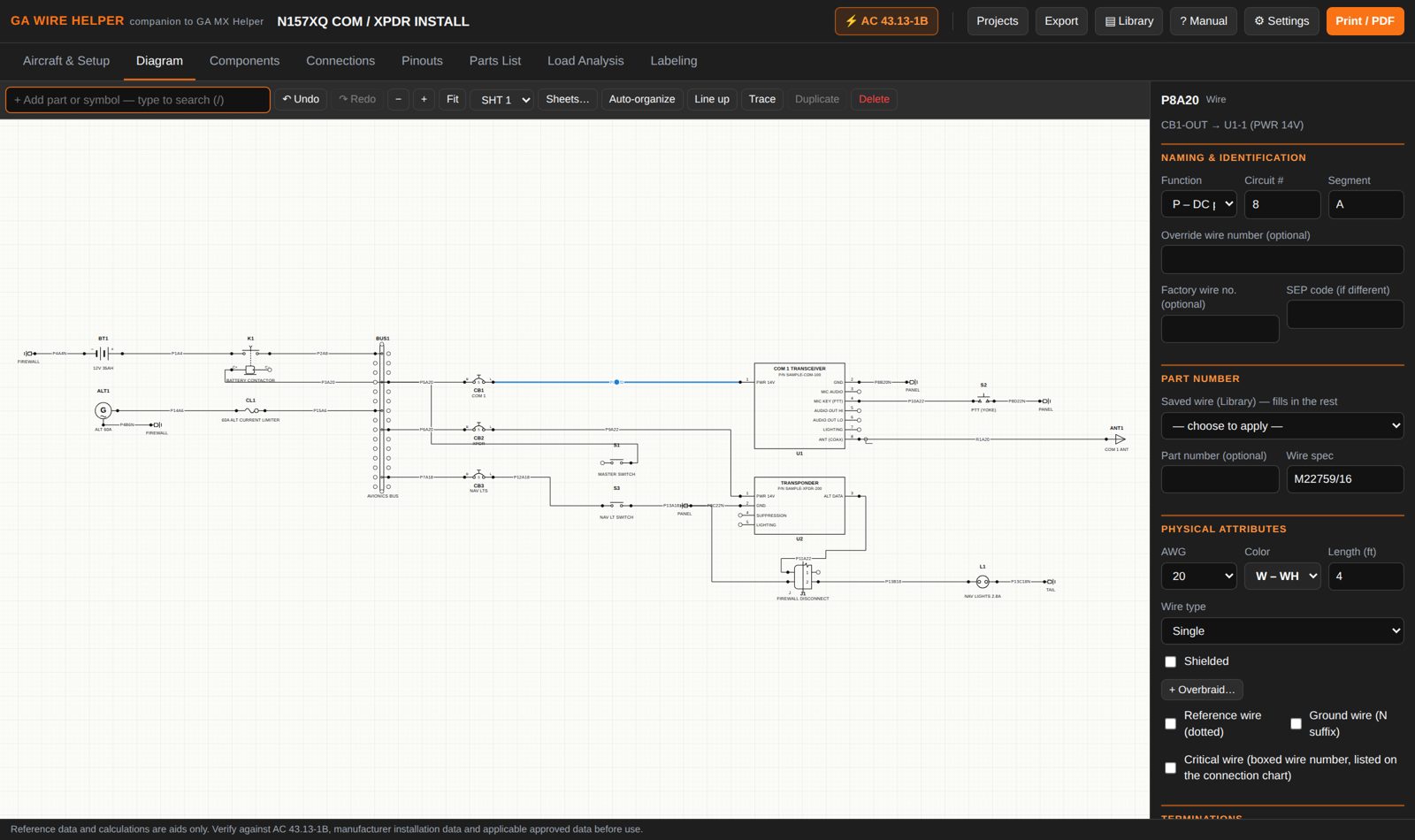
Diagram editor

  • Symbol library for power, protection, switching, loads, units, connectors, grounds and annotation — with style options (diode, Zener, LED…)
  • Drag pin to pin to draw a wire; wires fan in to their pins (crow's foot) and route without crossing
  • Auto-organize lays a sheet out left to right, source to load; Line up straightens everything onto the grid
  • Multiple sheets, with off-sheet arrow tags naming the far end
  • Trace highlights everything electrically connected — handy when troubleshooting
Diagram editor

Detail where it matters

  • Partial connectors that show only wired pins, with a break mark
  • Connectors flip left/right; unit connectors move to either side of the box
  • Shields with per-end terminations (360° backshell, pigtail, ground, dead-ended), double shields and overbraid
  • Twisted pairs, capped & stowed wires, numbered note flags and work-note callouts
Diagram detail

Wire numbering, your way

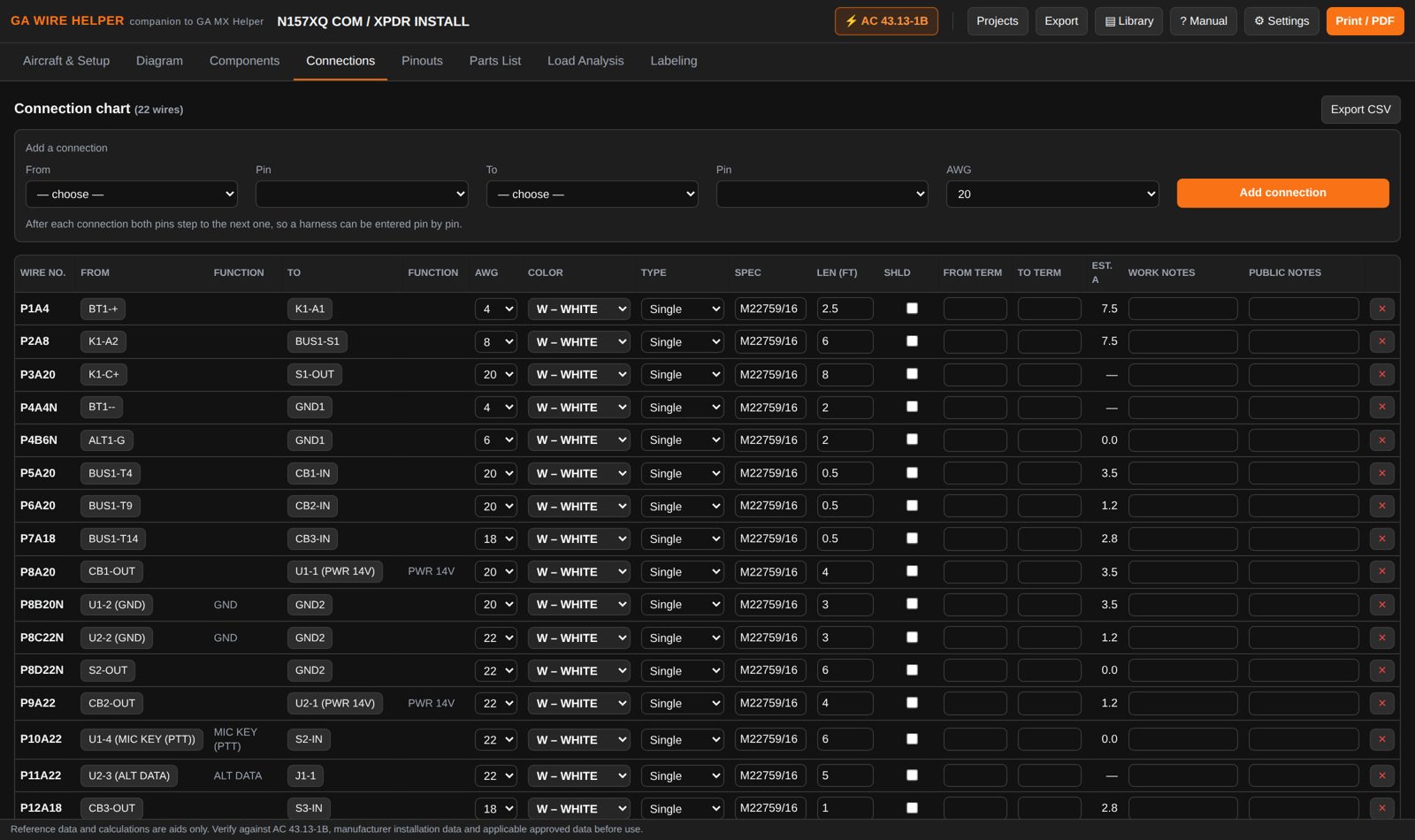
  • MIL-W-5088 style: function letter, circuit, segment, gauge — e.g. P8A20
  • Airline bundle-wire-gauge style (W123-1234-22), chosen per project
  • Reserved 901/9001 ranges when adding to factory wiring, with the factory number shown alongside
  • Numbers carry across connectors and splices automatically
Connection chart

Multiconductor cables

Enter a shielded pair, triple or quad once — conductors, colors, gauges, shield and twist groups — then just say where each conductor lands. Save it to the library and next time only the pins are left to pick. Every conductor must land on a pin or be capped & stowed, so nothing is left dangling.

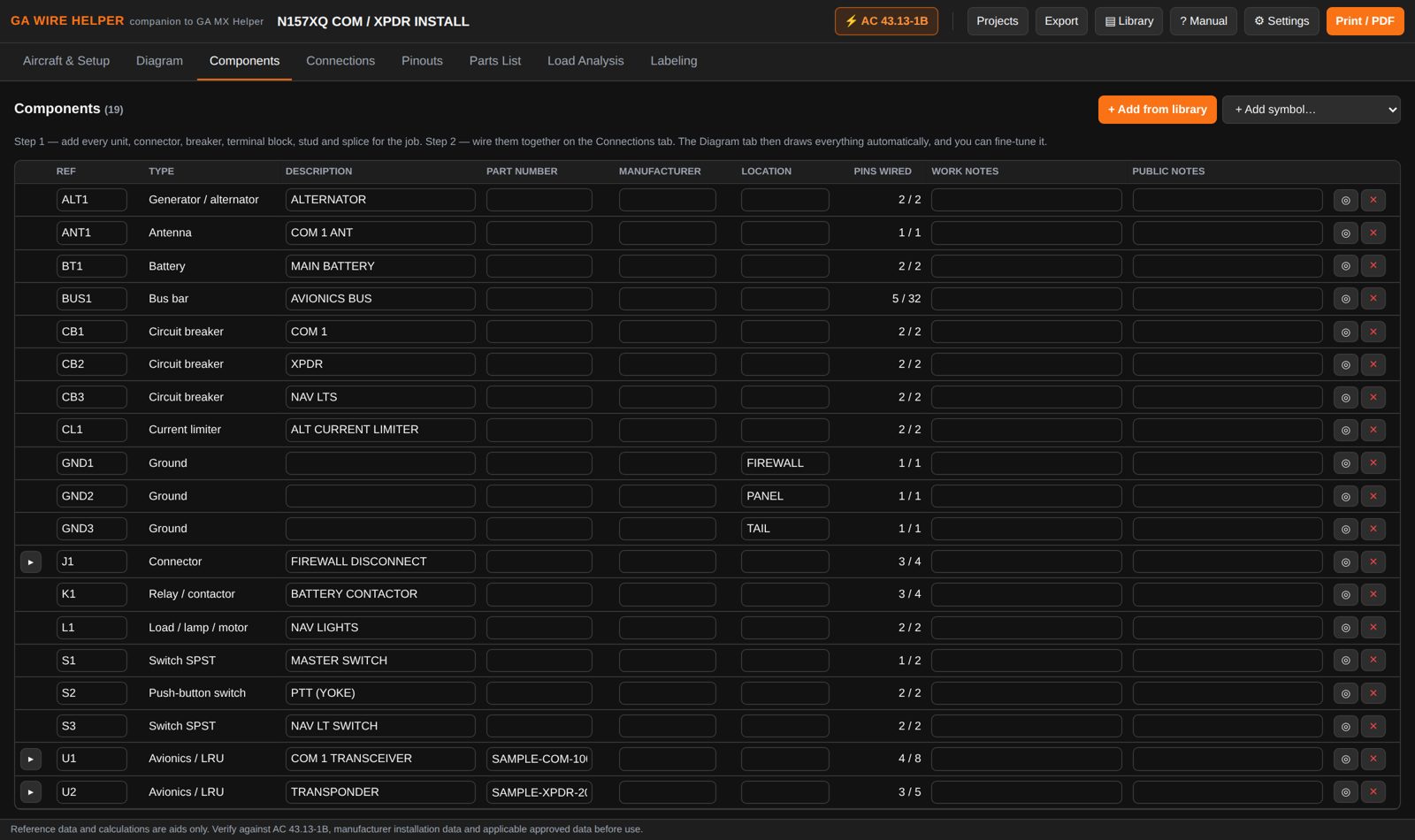
Components tab
Your parts, not ours

Parts library & pinouts

  • Build a part once — units, connectors, terminal blocks, studs, splices, wire and cable — and use it on every project
  • Paste a pin table straight out of an installation manual or spreadsheet
  • Connector face layouts: D-sub, circular and rectangular, printed with the pinout
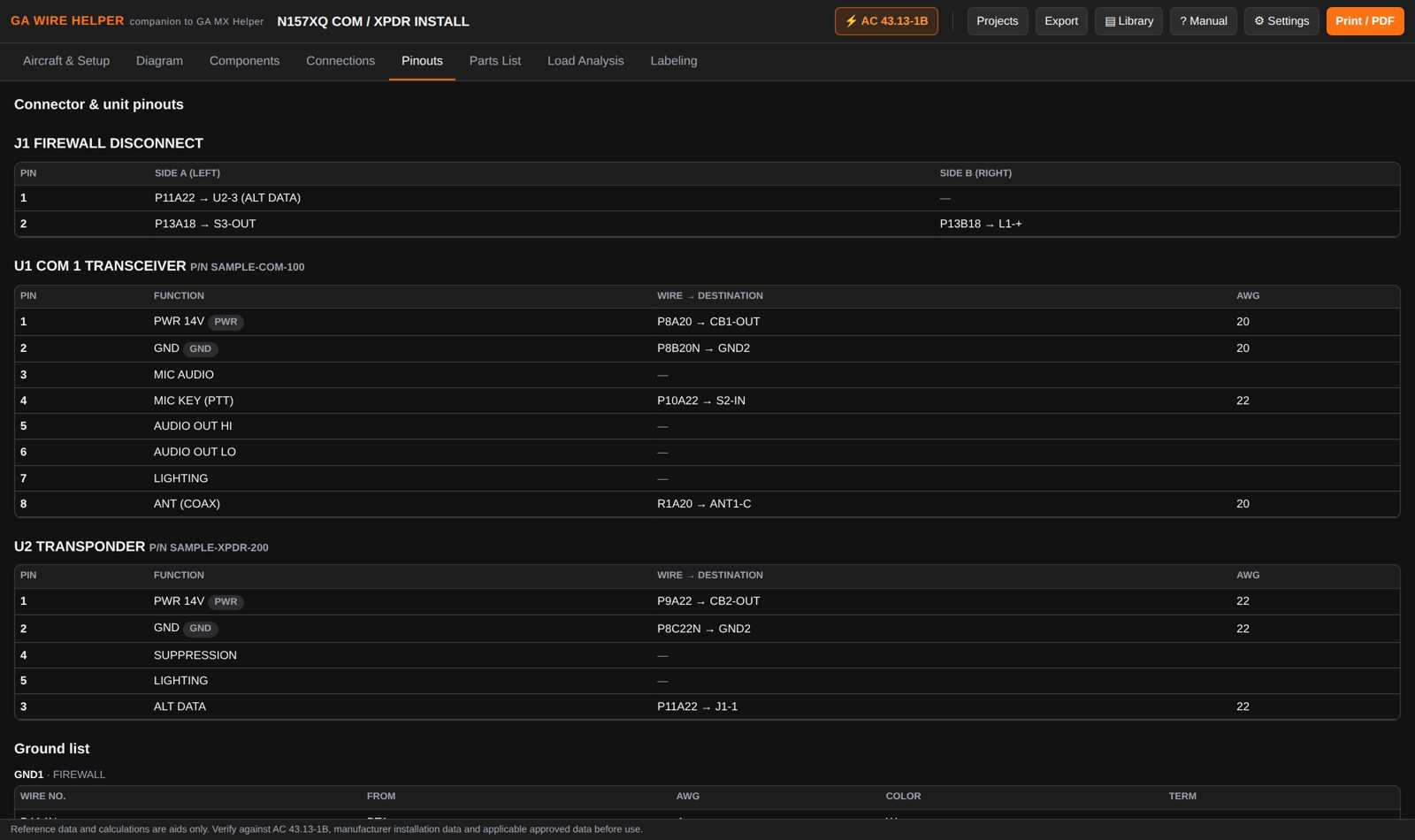
  • Pinouts fill in from the wiring; unit and connector pin tables print with the job
Pinouts

Parts list

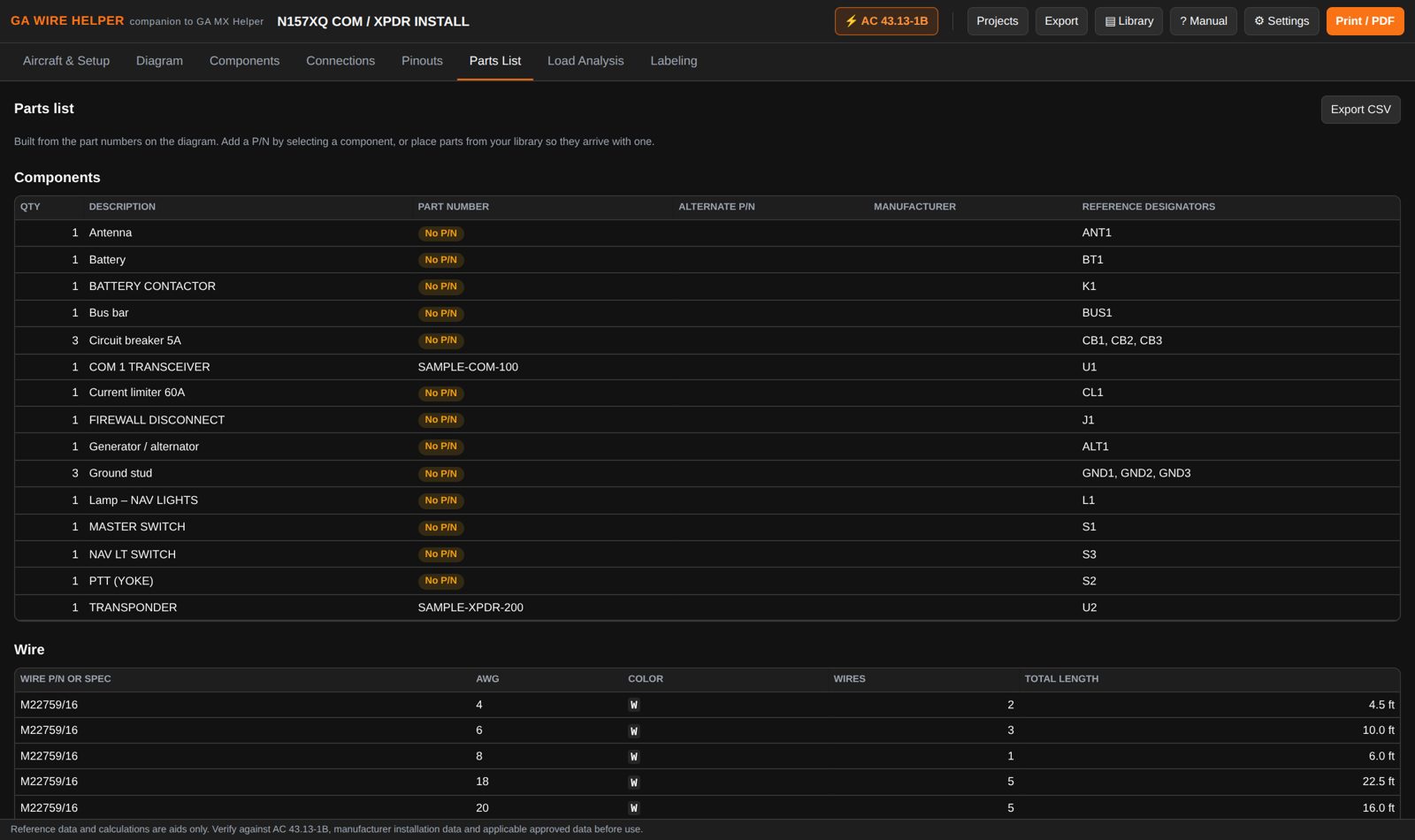
The bill of materials builds itself: components with part numbers and alternates, backshells, contacts counted from the wired positions, and wire totals by spec, gauge and color.

Parts list

Load analysis

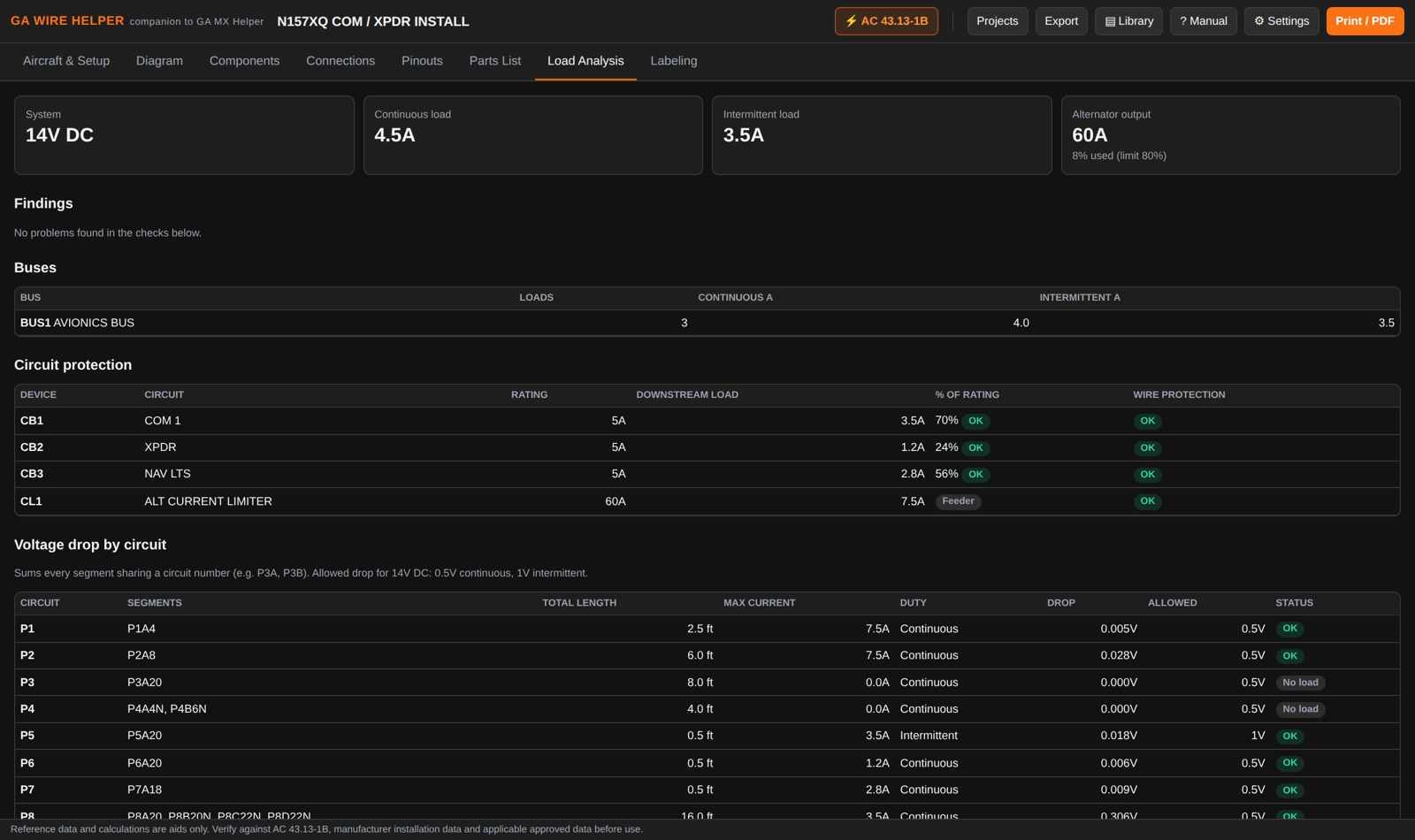
  • Continuous and intermittent load per bus
  • Breaker and fuse loading, with a warning at 80%
  • Wire protection: flags a breaker too big for the wire it feeds
  • Alternator margin and voltage drop per circuit, against editable reference tables
Load analysis
Built in

AC 43.13-1B Chapter 11 reference

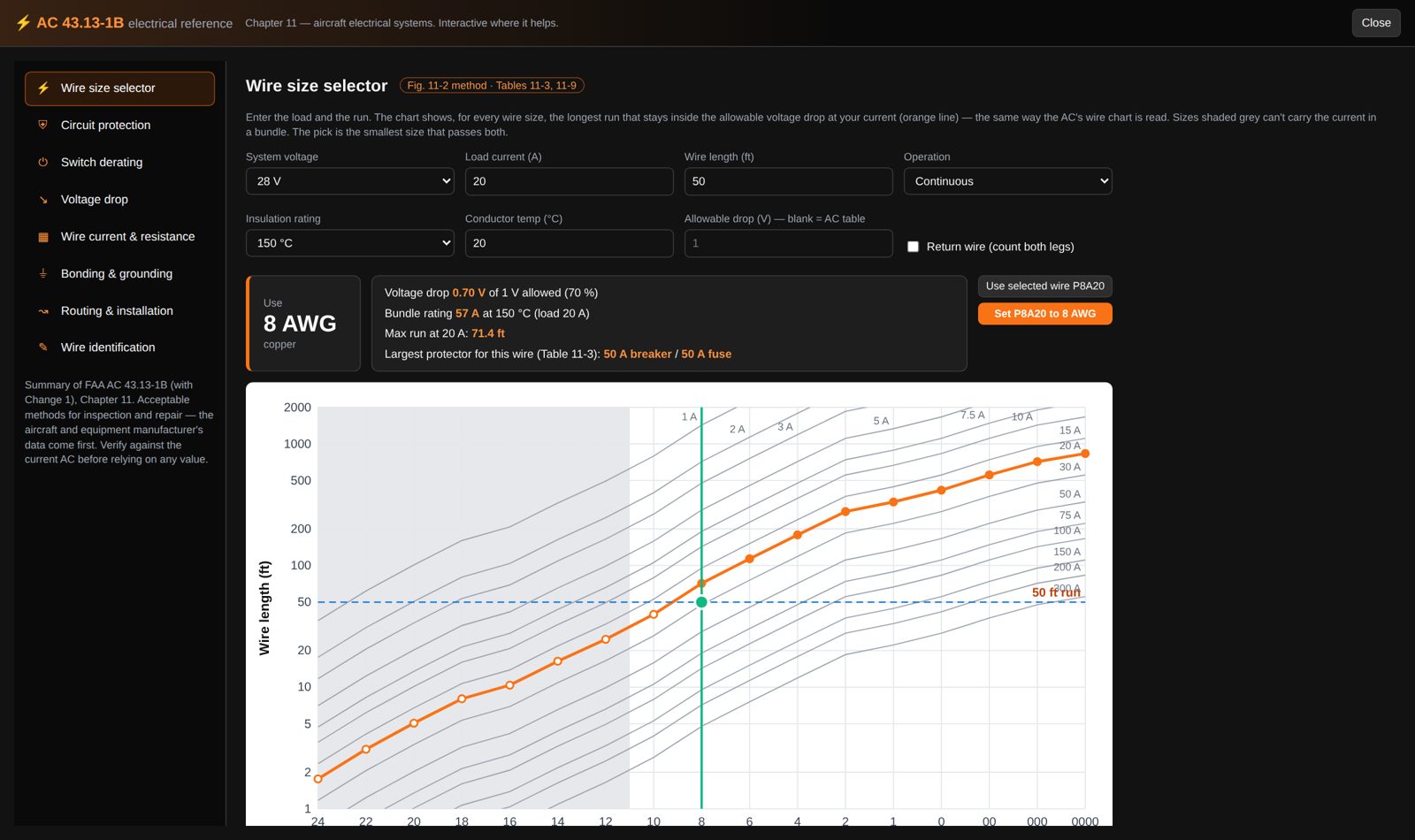
A wire-size chart read the same way as the AC’s, circuit protection (Table 11-3), switch derating (Table 11-4), allowable voltage drop, wire current and resistance (Tables 11-9, 11-10), bonding and grounding limits, and routing guidance. Select a wire on the diagram and size it in one click.

AC 43.13-1B reference
New in 1.1.0

Connector finder

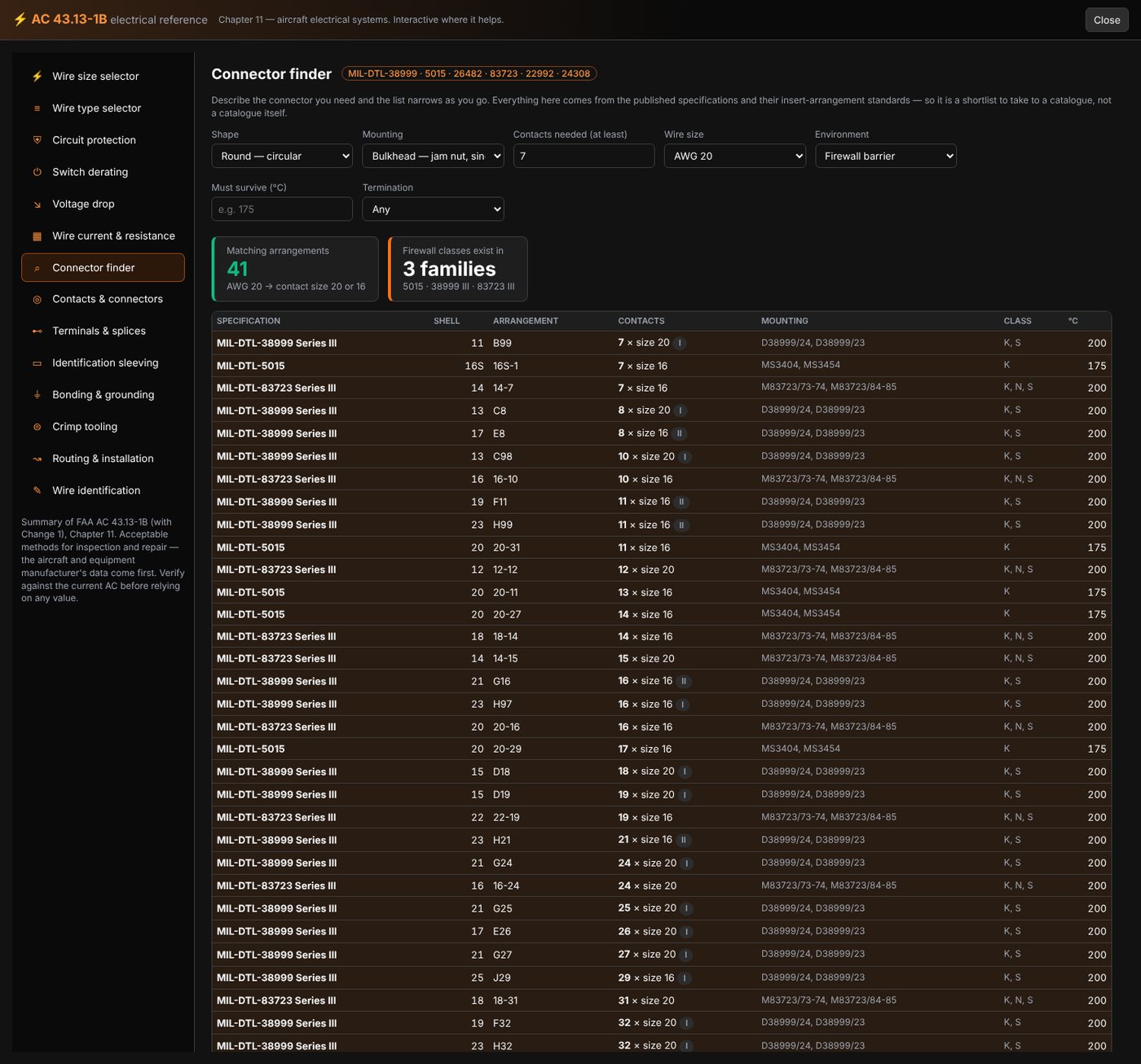
Describe the connector you need and the list narrows as you go: how many contacts, what wire size, round or rectangular, bulkhead or panel mount, and what it has to survive — heat, fluids, a firewall. It works down from the published military specifications rather than any one manufacturer’s catalogue, so what comes back is a shortlist of arrangements you can actually buy from several sources.

Families covered include MIL-DTL-38999 (I, II, III), MIL-DTL-5015, MIL-DTL-26482, MIL-DTL-83723, MIL-DTL-22992, MIL-DTL-24308 D-subminiature and the circular arrangements of MIL-STD-1560 / 1651.

Connector finder
New in 1.1.0

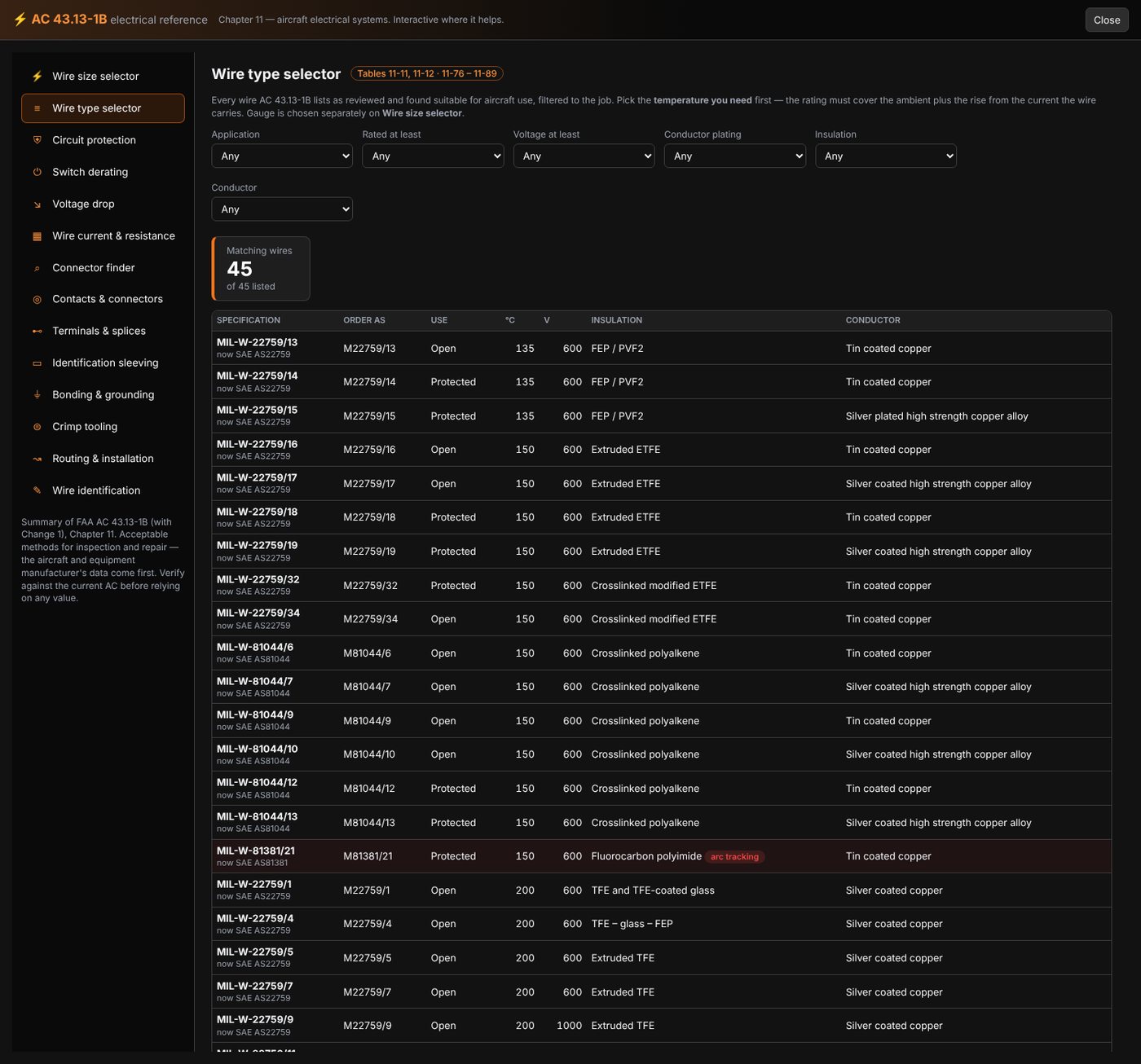
Wire type selector

Forty-five aerospace wire specifications — M22759 and M27500 families and their relatives — filtered by temperature rating, voltage, conductor plating and insulation. Pick the temperature you need rather than the one you remember: the rating has to cover the ambient the wire runs through, not just the current it carries.

Wire type selector
New in 1.1.0

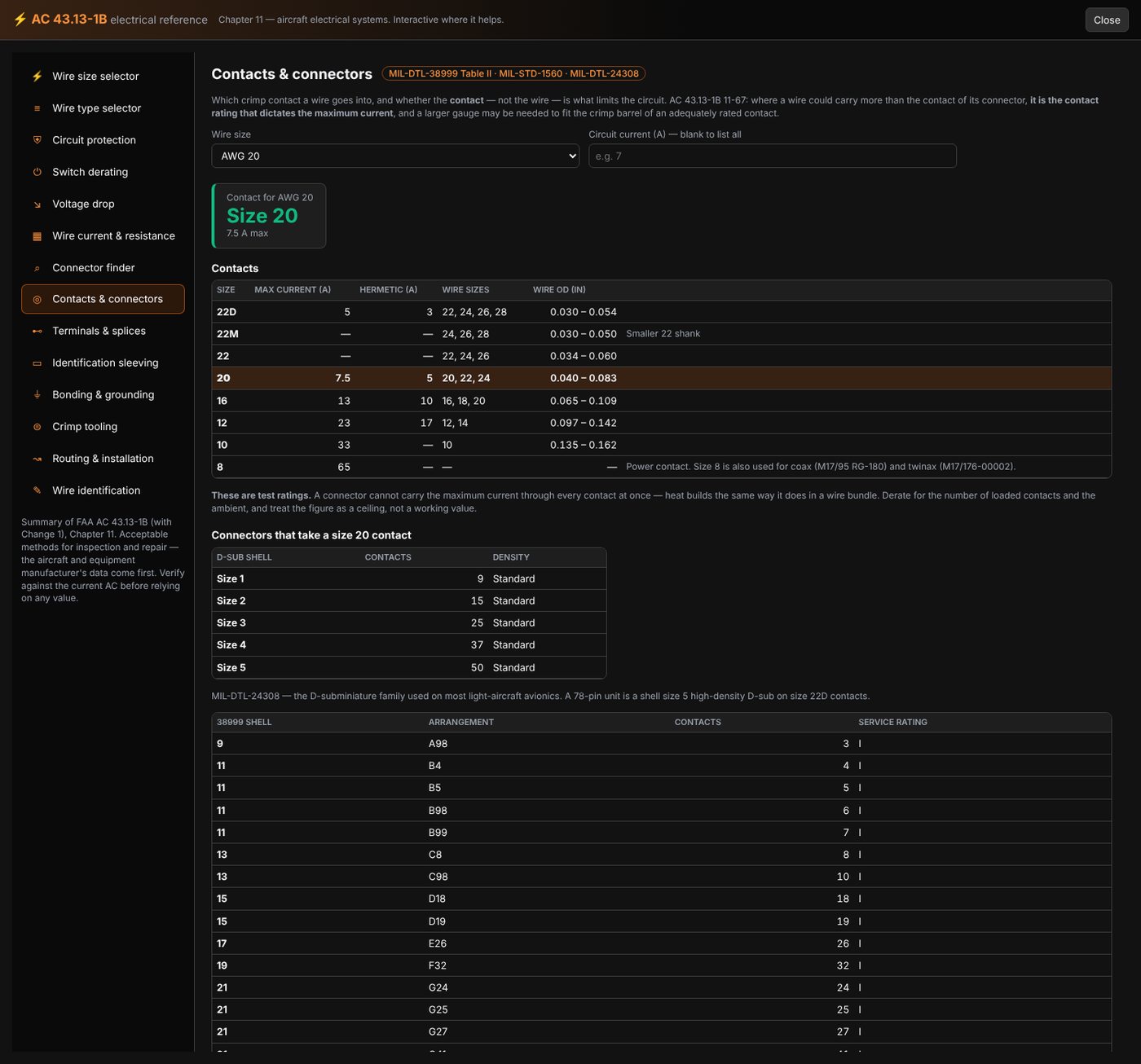
Contacts & connectors

Enter a wire size and get the contact size that takes it, what each contact is rated to carry, and which connector shells and arrangements accept it — including the D-subminiature shell sizes and their contact counts. It also shows the derating that applies when a connector is fully loaded, which is the number that catches people out: a contact rated 7.5 A on its own does not carry 7.5 A in a full shell.

Contacts and connectors reference

Labeling & laser marking

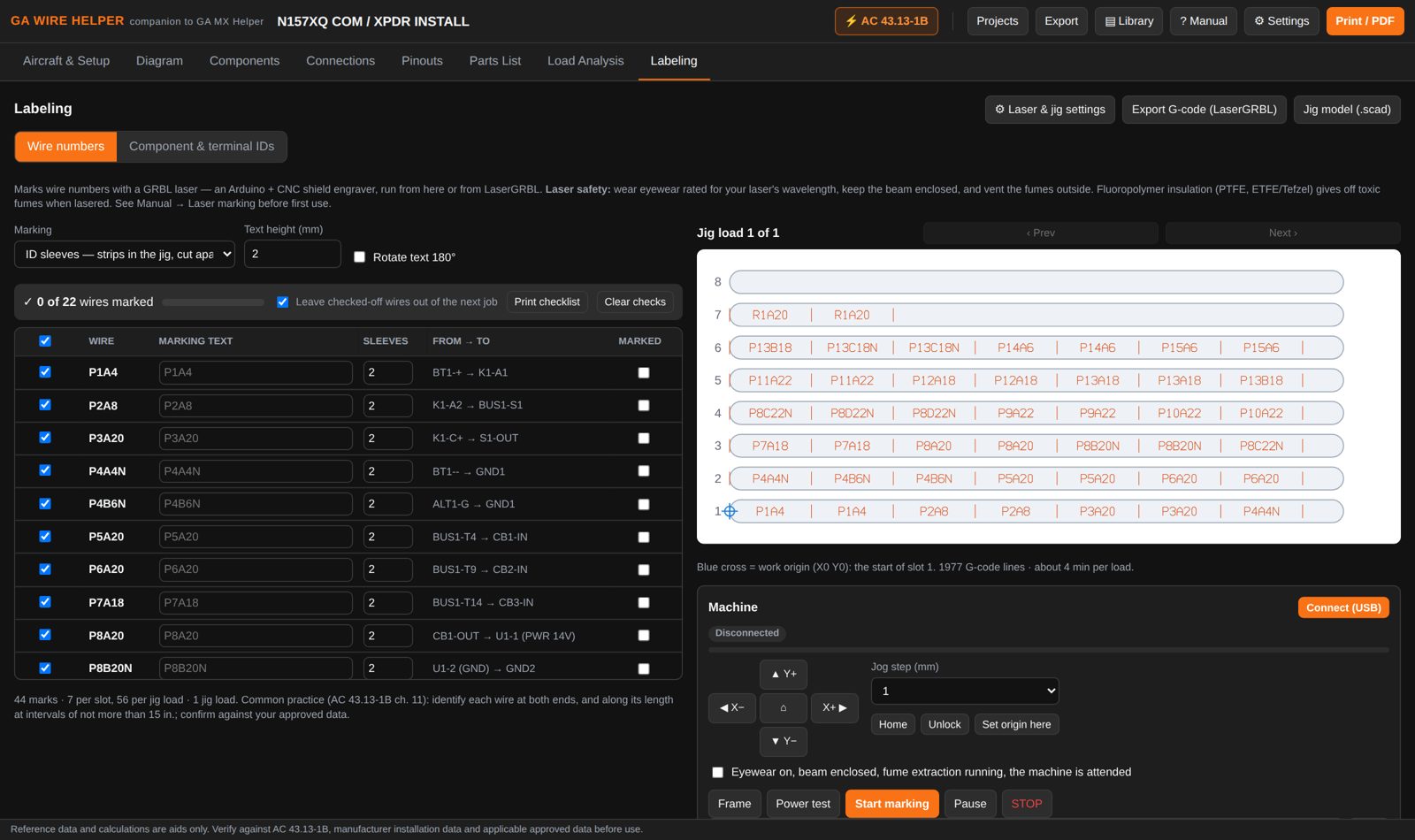
  • Wire-number and component-ID labels on Avery sheets or label tape
  • Heat-shrink ID sleeves marked by a small GRBL diode laser, driven straight from the app over USB — or export G-code for LaserGRBL
  • A batch checklist so a big harness can be marked over several sessions
  • Build notes for a low-cost flat-bed marker and the WM-1 feed-through wire marker are in the built-in manual
Labeling tab
New in 1.2.0

Crimp tooling

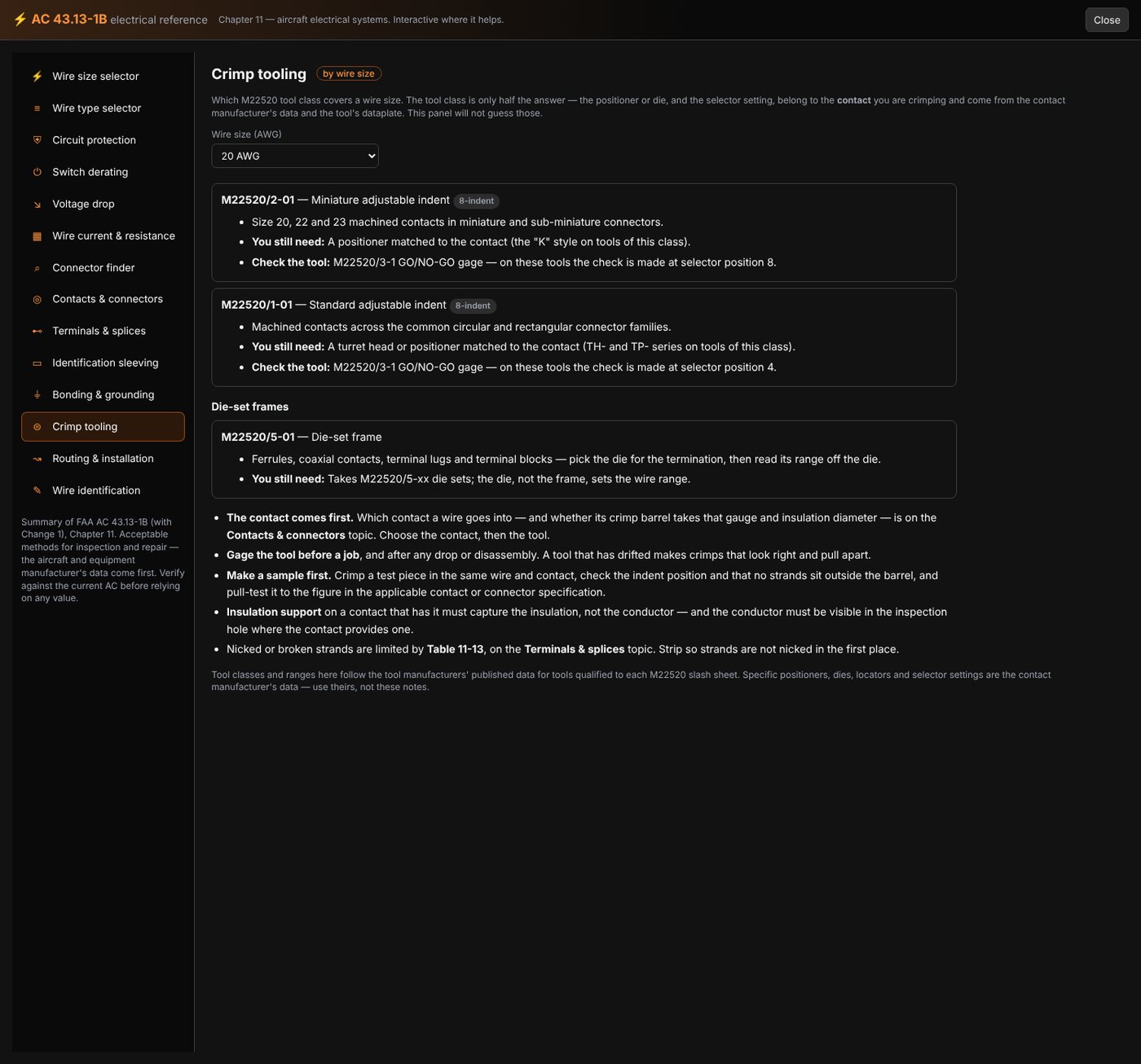
Pick a wire size and the reference tells you which M22520 tool class covers it, what it’s used for, and how to check the tool is still in calibration.

It deliberately doesn’t name positioners or dies. Those belong to the contact you’re crimping, not to the wire — so it points you at the contact manufacturer’s data instead of guessing on your behalf.

Crimp tooling reference
New in 1.2.0

Revision history

The title block has always carried a revision letter. Now there’s a dated record behind it — what changed at each revision and who changed it — and it prints as its own sheet with the drawing.

The letter in the title block keeps itself in step, so the drawing and its history can’t drift apart.

Title block and revision history
New in 1.2.0

The parts list crosses over to GA MX Helper

Send to GA MX Helper on the Parts List. Components arrive with quantities and the reference designators they came from; wire arrives by the foot, and any run with no length recorded is called out rather than quietly counted as zero.

Everything lands as Needed — nothing is taken from stock and nothing is ordered. From the GA MX Helper side, open the aircraft, go to Wiring, and the diagram offers Add parts to a squawk.

Parts list
New in 1.2.0

Converter — units and shop arithmetic

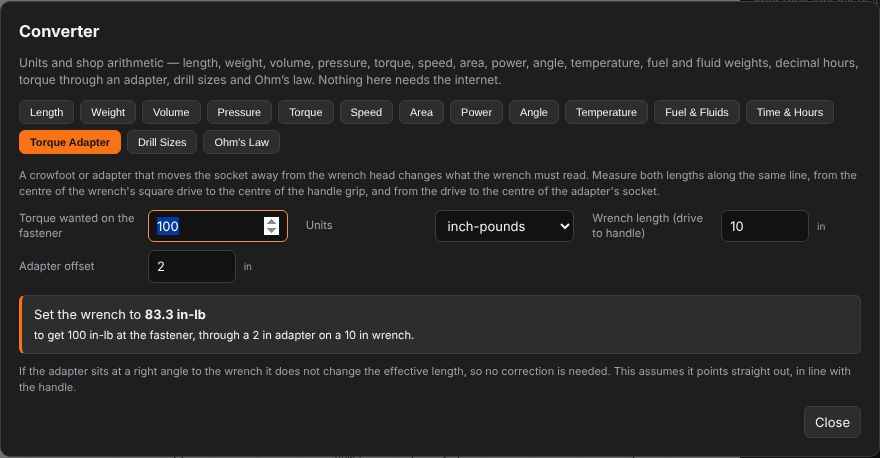
On the toolbar, or Alt + C from anywhere. The same converter GA MX Helper has, so both apps give the same answer: units, fuel and fluid weights, decimal hours, torque through an adapter, drill sizes and Ohm’s law.

Included with every license, and like everything else here it needs no internet.

The converter

Printing & paperwork

Real PDF files, ready for the work folder or the 337.

Two copies

A work copy with your work notes, marked WORK COPY — and a 337 / logbook copy with public notes only.

Title block & signatures

Company, logo, aircraft, drawing number, revision, ATA and sheet on every page, with prepared-by / inspected-by signature lines.

Pick what prints

Diagram, notes, connection chart, component list, parts list, wire lists, pinouts and load analysis — or all of it in one PDF.

Paper sizes

Letter, Legal, 11×17, A4 and A3, landscape or portrait. SVG, PNG and CSV exports too.

GA Wire Helper is a drafting and recordkeeping aid. It does not produce FAA-approved or FAA-accepted data, and it doesn't come pre-loaded with manufacturer pinouts — you enter those from the installation data you're working to. The person doing and approving the work stays responsible for the installation.

Works with GA MX Helper

Optional — each app works fine on its own.

Pick from your fleet

Aircraft, equipment and company info come straight from GA MX Helper, read-only.

Filed by tail number

Projects and PDFs save to a Wiring Diagrams folder for each aircraft, next to GA MX Helper's data.

Open from the aircraft

Each aircraft profile in GA MX Helper lists its diagrams, and "+ New Wiring Diagram" opens this app for that aircraft.

Ready when you are

One-time purchase, no subscription. See the Changelog for what's new in every version.